

Showing posts with label Must-read. Show all posts
Showing posts with label Must-read. Show all posts
Posted On 4th May 2015
Google Search... We use it every day, but still all we know is how to search.But the search engine has plenty of tricks up its sleeve.Here’s an overview of some of the most useful Google search tricks,from basic tips to new features just recently released.

1. Google Gravity.
Go to google and type “Google Gravity” and hit I’m felling lucky button or open first link.

2. Find a website with similar content to URL you already know.
The Scenario: We Want to find an e-commerce website similar to Flipkart.
The Solution- Type: related:flipkart.com.
The Solution- Type: related:flipkart.com.
NOTE: related:flipkart.com and related: flipkart.com are not same.

3. Search Within A Website.
The Scenario: want to restrict your search results to the site or domain.
The Solution: Type "site:" followed by the URL of the website you'd like to search. Then add your search terms or you can also do it like this.
The Solution: Type "site:" followed by the URL of the website you'd like to search. Then add your search terms or you can also do it like this.
Eg:- "windows security site:microsoft.com"

4. Search With Handwrite Keyboard.

Try a new way of searching Google: just write your query anywhere on the screen! Handwrite is a beta feature, available on Google.com from your smartphone or tablet. You can activate or disable Handwrite from your mobile search settings. Turn Handwrite on or off.
1. Visit the Search settings page from your phone or tablet.
2. Go to the Handwrite section.
3. Select Enable to turn on and Disable to turn off.
4. At the bottom of the page, touch Save.
5. Keep It Simple.
Keep your search phrase as simple as possible.
Eg:-“Where can I find a Chinese restaurant “.Could be searched like: “Chinese Restaurant Nearby” (Google uses your location to search).
6. Use hyphen ‘-‘ to exclude searches.
The Scenario: If I want to find car of Jaguar.
The Solution: so I can exclude animal by:-“Jaguar –animal”. This will give me result of Jaguar Car only.
The Solution: so I can exclude animal by:-“Jaguar –animal”. This will give me result of Jaguar Car only.

7. See weather info.
Type “CITY” forecast or you can also type “weather City_name/Zipcode.” in Google Search.

8. Use Asterisks as Wild Card Words.
If there’s a popular phrase that you can’t remember fully, you can use asterisk to your advantage and search for the entire phrase in Google. Add an asterisk within a search as a placeholder for any unknown words. Type in something like a * saved is a * earned and you’ll get back different variations of the popular saying.

9. Search For Words In Exact Order.
When you put a word or phrase in quotes, the results will only include pages with the same words in the same order as the ones inside the quotes. Only use this if you're looking for an exact word or phrase, otherwise you'll exclude many helpful results by mistake.
Eg:- "imagine all the people" With quotes.
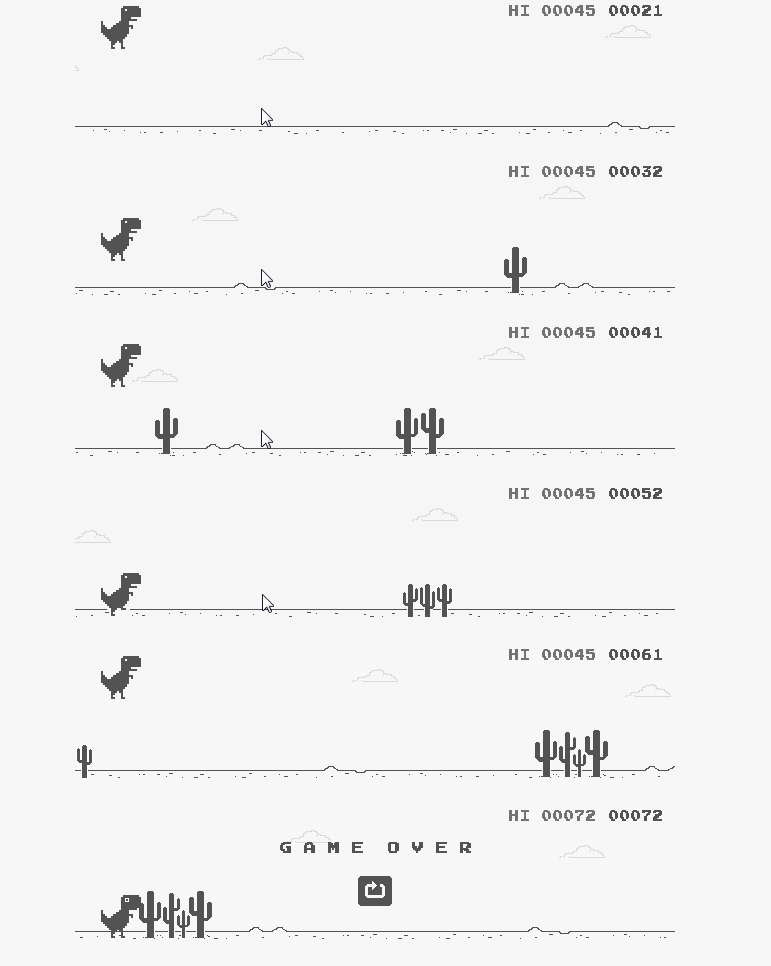
10. Google offline Game.
Slow internet or offline? Getting Bored? Try this on Google Chrome.
For Mobile: Just drag dragon up and start playing.
For PC: Press Up Arrow Key and get started.

FOR MORE TIPS & TRICKS :
9. Search For Words In Exact Order.
When you put a word or phrase in quotes, the results will only include pages with the same words in the same order as the ones inside the quotes. Only use this if you're looking for an exact word or phrase, otherwise you'll exclude many helpful results by mistake.
Eg:- "imagine all the people" With quotes.
10. Google offline Game.
Slow internet or offline? Getting Bored? Try this on Google Chrome.
For Mobile: Just drag dragon up and start playing.
For PC: Press Up Arrow Key and get started.
FOR MORE TIPS & TRICKS :
Posted On 4th May 2015
Australian researchers are using 4D printing to create self-folding objects.
Australian researchers are using 4D printing to create self-folding objects.
Researchers from the University of Wollongong in Australia have 4D printed a valve that automatically opens and contracts under the influence of water and temperature - and it’s just one of the many applications of technology that promises to revolutionise how we build objects forever.

Already, 3D printing has opened up a whole world of research possibilities. We’re now able to custom-print bionic body parts, print our own guns and even print entire buildings. But 4D printing adds a whole other dimension to this technology: time.
This means that researchers are now able to custom-design and print an object, but also give it the ability to change its shape, fold itself or even self-assemble under the influence of different factors, such as temperature, pressure, magnetic field or even vibrations.
"4D printing is in essence 3D printed structures that can change their shape over time," lead researcher Marc in het Panhuis, from the University of Wollongong's ARC Centre of Excellence for Electromaterials Science, told Nicky Phillips from theSydney Morning Herald. "They're like transformers.”
For example, 4D printing can be used to create furniture that assembles itself when you heat it with a hairdryer - no Allen Key required. Or from a more scientific point of view, it can help create sensitive and responsive parts for machinery, medical research and robotics.
Just picture medical implants that can change their shape inside the body, or buildings that adjust themselves when it’s hot, in order to save on heating and cooling requirements.
But this new development by the University of Wollongong is the first time researchers have been able to combine a 4D printer with four different types of hydrogel ‘ink’. The process has been described in the journal Macromolecular Rapid Communications.
The valve itself was 3D printed using both tough and soft hydrogels, which are flexible but strong materials that can be embedded with different properties.
But what’s really cool about this valve, is it’s created a mechanic device that’s completely autonomous - no power source or programming required.
"The cool thing about it is, is it’s a working functioning device that you just pick up from the printer," in het Panhuis explained in a press release. "There’s no other assembly required."
The actuators, or the parts that make the valve close, were printed in order to be activated solely by water.
“So it’s an autonomous valve, there’s no input necessary other than water; it closes itself when it detects hot water,” said in het Panhuis.
The group is now also looking into more sophisticated designs, and are hoping to print pipes that can change size depending on water demands, as well as military objects that can self destruct when they’re not longer required, as in het Panhuis told Phillips.
"When armies are on the battlefield they leave a lot of electronics behind. What if you could make 3D printed electronics that [once the soldiers leave] undergo transient behaviour once they become too hot, or too cold, or too wet so they completely disappear so the enemy can't use any of your materials," he said.
Given the way 3D printing has already changed our world, we’re pretty excited about the possibilities that are going to come with adding an extra dimension.
Posted On 4th May 2015
A quick search for the term “dual boot” will turn up dozens of articles about how Intel, Asus, Samsung, and
many other companies have at least explored the concept of dual-booting Windows
and Android, or even Windows Phone and Android, only to eventually end up
canceling these projects.
With a number of companies and,
potentially, consumers interested in the idea of dual booting, why do these
projects never seem to work out?
For one thing, Google reportedly doesn't approve of
the idea and, considering the pull it has over OEM's. Microsoft is also said to
have reservations about the concept, even if to a lesser extent. That’s not
stopping Chinese company Elephone from jumping into the ring with a
dual-booting phone, however. After all, Elephone doesn’t have the same Google-restricted
relationship that OEMs like Samsung and Asus are in, leaving Elephone free to
do just about whatever it wants.

Elephone's upcoming (currently unnamed)
handset will ship in two versions, one with only Android 5.0 Lollipop, and the
other with Windows 10 and Android 5.0 Lollipop running in dual-boot. The former
will arrive sometime in May, with the dual-boot option arriving in June.
The Elephone handset is expected to offer a
5.5-inch display with a 2560 x 1440 resolution. The Android only version will
offer a 64-bit MediaTek MTK6795, while the dual-boot variant will be powered by
an Intel Atom chip. Cameras will also differ, with the Android-only model
featuring a 21MP IMX 230, with the dual-boot version offering a 20.7-megapixel
Sony IMX 230 camera. Regardless of whether you’re getting the dual-booting model
or the Android version, you’ll get a massive 4GB RAM, a fingerprint scanner, and a battery that’s “more than
3,800mAh”. Not bad specs at all.

It’s unclear exactly how much the Elephone dual-booter will cost, but
we imagine it will be pretty affordable, despite the high-end specs. Of course,
we also wouldn’t expect it to be widely available outside of China.
That said, if you really are intrigued by the
idea of dual-booting, getting your hands on one through an import site probably
won’t be terribly difficult. As for those unfamiliar with Elephone, it
typically doesn’t produce the most impressive devices on the market.
What do you think, would you pick up such a
device, if the price were right?


